
Sporting News: Baseball
- Players
- 1
P2P Netplay available on compatible cores
Sporting News: Baseball images
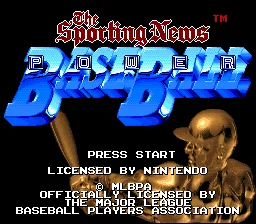
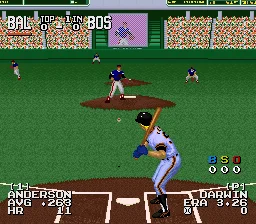
Sporting News: Baseball frequently asked questions
How do I play Sporting News: Baseball online with a friend?
Sporting News: Baseball (SNES/Super Famicom) can be played online with friends using Etera's P2P netplay. Create a room in the launcher and invite your friend, who joins through the invite. Step by step:
- Download the Etera launcher for Windows or Linux and create your account.
- Ask your friend to do the same and add them to your friends list.
- Pick the game in the library and create a netplay room.
- Invite your friend: they accept the invite and join the room.
- The launcher keeps dependencies on the same version for both players, avoiding desync.
How do I play Sporting News: Baseball on PC?
Download the Etera launcher (Windows or Linux), find Sporting News: Baseball in the SNES/Super Famicom library and click to download. The launcher handles the emulator and setup for you.
Does Sporting News: Baseball netplay lag?
Etera uses a direct P2P connection between players, which usually means low latency. Results depend on each player's internet quality.
Can I play Sporting News: Baseball for free?
Yes. Every account gets a 5-day trial with premium features. After that, the free plan allows 3 new games per day and 1 netplay session per day. Premium raises those limits.
Play Sporting News: Baseball on Etera
Download the launcher for Windows or Linux, find this game in the library and play solo or with friends.
Get Etera MechWarrior
 Gemfire
 Hyper Iria
 Super Castlevania IV
 Wayne Gretzky and the NHLPA All-Stars
 Mario's Early Years: Fun With Letters